
Procedure for updating monthly data from the Customs
Step 1
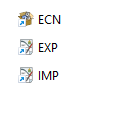
Enter the IMP (Import Declaration) or EXP (Export Declaration) program.
Step 2
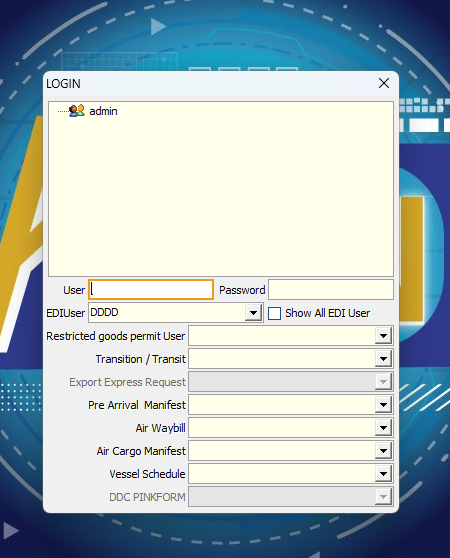
Select the User and EDIUser
Example : If you have User and EDIUser account that normally accesses the program. You can to the next step
Step 3
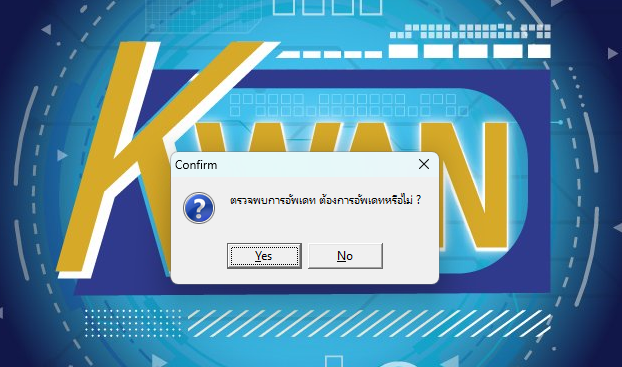
Messagebox notification program "Update detected, do you want to update? Yes or No" asks the user to click Yes.
Notice : Update only 1 client
Step 4
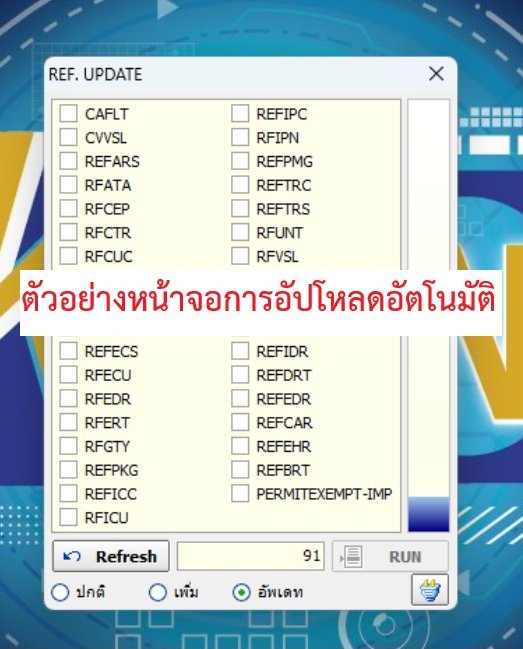
The program will start uploading automatically and when it is finished, it will automatically pop up into the program.
เว็บไซต์นี้มีการใช้งานคุกกี้ เพื่อเพิ่มประสิทธิภาพและประสบการณ์ที่ดีในการใช้งานเว็บไซต์ของท่าน ท่านสามารถอ่านรายละเอียดเพิ่มเติมได้ที่
Privacy Policy and Cookies Policy
Powered By
 MakeWebEasy
MakeWebEasy- Home Home
- About us About us
- Products & Services Products & Services
- Download Download
- News News
- Contact us Contact us
Home
Home
Home
Home